EN

Aligned Elements V3.0 (3.0.443/222.22517) is here, and we are proud to includes new capabilities and numerous bug fixes.

What's New

V3.0 is a large update, and we introduce a host of new features in this one.

Get the full story on some of the new features in Aligned Elements V3.0 below:

The Release Notes containing all new features and fixes can be found here.

Sign up to the "What's New" Webinar on April 16th

Curious to see the new features live?

Want to gain a deeper insight into what Aligned Elements V3.0 can do for you?

Register today to the "What's New" Webinar

When: Tuesday, April 16, 2024

Time: 15:00 CET (45 Min)

Use this link: Sign up

Upgrade Now

This release is a recommended upgrade.
Find the installer to Aligned Elements V3.0 here.
{fastsocialshare}

You wanted it, we're bringing it.

By popular request, we're introducing a bundle of UI improvements to our Aligned Elements Users.

An Upgraded Review Experience

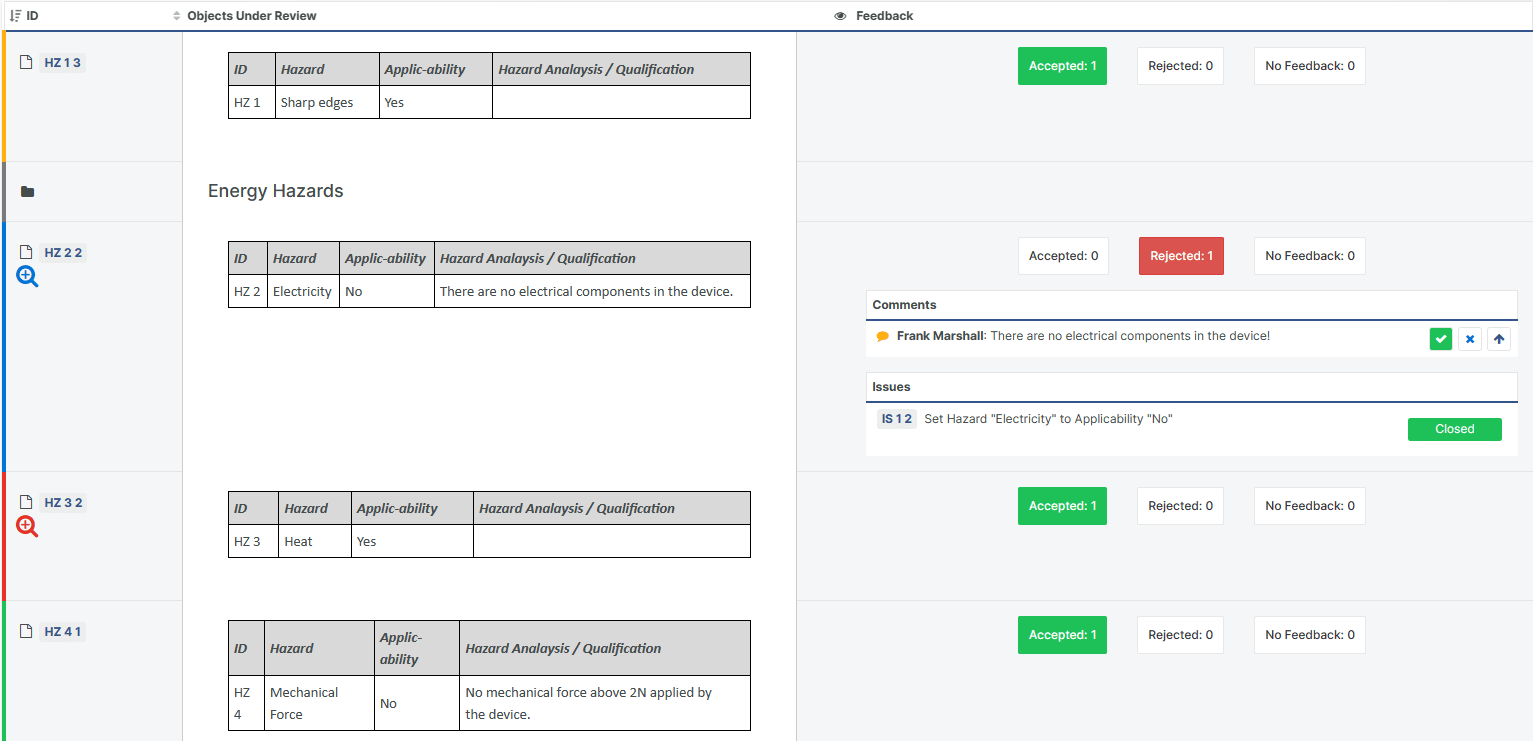
Our popular Design Review functionality permits online collaboration during the review process. Each user enters observations and feedback at their own pace, which later can be addressed in an organized fashion.

However, the Review process may differ from company to company and hence, the Aligned Elements community reached out to us with suggestions to strengthen the Design Review further.

In Aligned Elements V3.0, we have therefore added things, like:

  • Marking review Feedback Comments as "Resolved" or "Declined"
  • Alternative Review outcomes, such as "Rejected" and "Postponed"
  • Visually indicating whether an item has been changed during the Review 
  • A detailed Word Gap Report showing all review changes for each item, with side-by-side colour-coded comparison
  • Displaying current Issue status in the Review Feedback and Overview Views
  • Auto-suggestion of Snapshot name for Review Snapshots

NewReview

We are grateful for the input the Aligned Elements community has provided us with, that has given us an opportunity to provide a richer Review experience.  Keep those suggestions coming!

Test Run Management Performance enhancements 

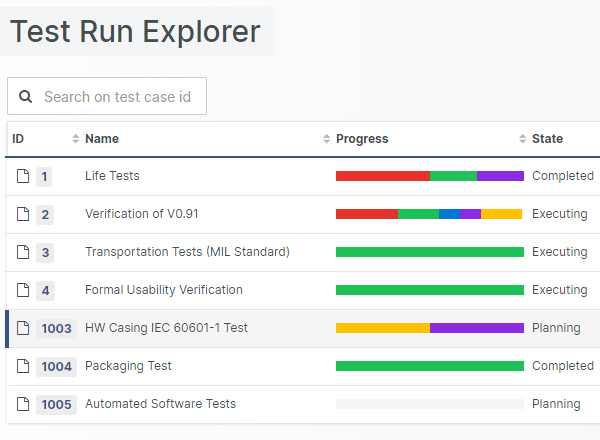
Testers tend to be the user group most intensely working with Aligned Elements. Therefore, giving them the best possible user experience is the least we can do to help. As a result, we have improved the Test Run and Test Run Explorer loading time, to speed up the switching between Test Runs, and Test Runs and Test artefacts.

Test Run Explorer

We have also worked on speeding up the Trace setting mechanism, as well as cutting the execution times for queries and Word Report generation for artefacts with incoming traces.   

New User Interface functions

We are excited to present a large number of new functions available in the Web Client User Interface. We hope that these will make the experience of Aligned Elements even more enjoyable.

Examples of these new features include:

  • Copy-paste of images from Word to Aligned Elements 
  • Resize-ability of the Chapter View
  • Copy Chapter structures from one Design Control type to another 
  • Edit File attributes in Display-As-List mode 
  • Optionally refresh the Inconsistency Lists after resolving inconsistencies 
  • Copying Design Control Items between Projects
  • Support for disabling Snapshots
  • Optionally rejecting in a Signature situation

These changes are available in the upcoming Aligned Elements v3.0 release.

{fastsocialshare}

One of our best known features is Aligned Elements Word Integration.

This unrivalled feature lets you compose Design Control documents by filling your Word Templates with content from Aligned Elements.

You decide which data goes where and what the data should look like. The output is tailored to your company's process, product, templates and corporate design.

This is pure flexibility and adaptability, where you are in total control of the document creation.

When Control and Speed is all you need

However, there are situations where you don't want all that flexibility, cases when you need quite the opposite.
Let's take the case of a Risk Assessment document.
Your Risk Assessment word template has been meticulously crafted by your quality department.
The template is set up to keep:

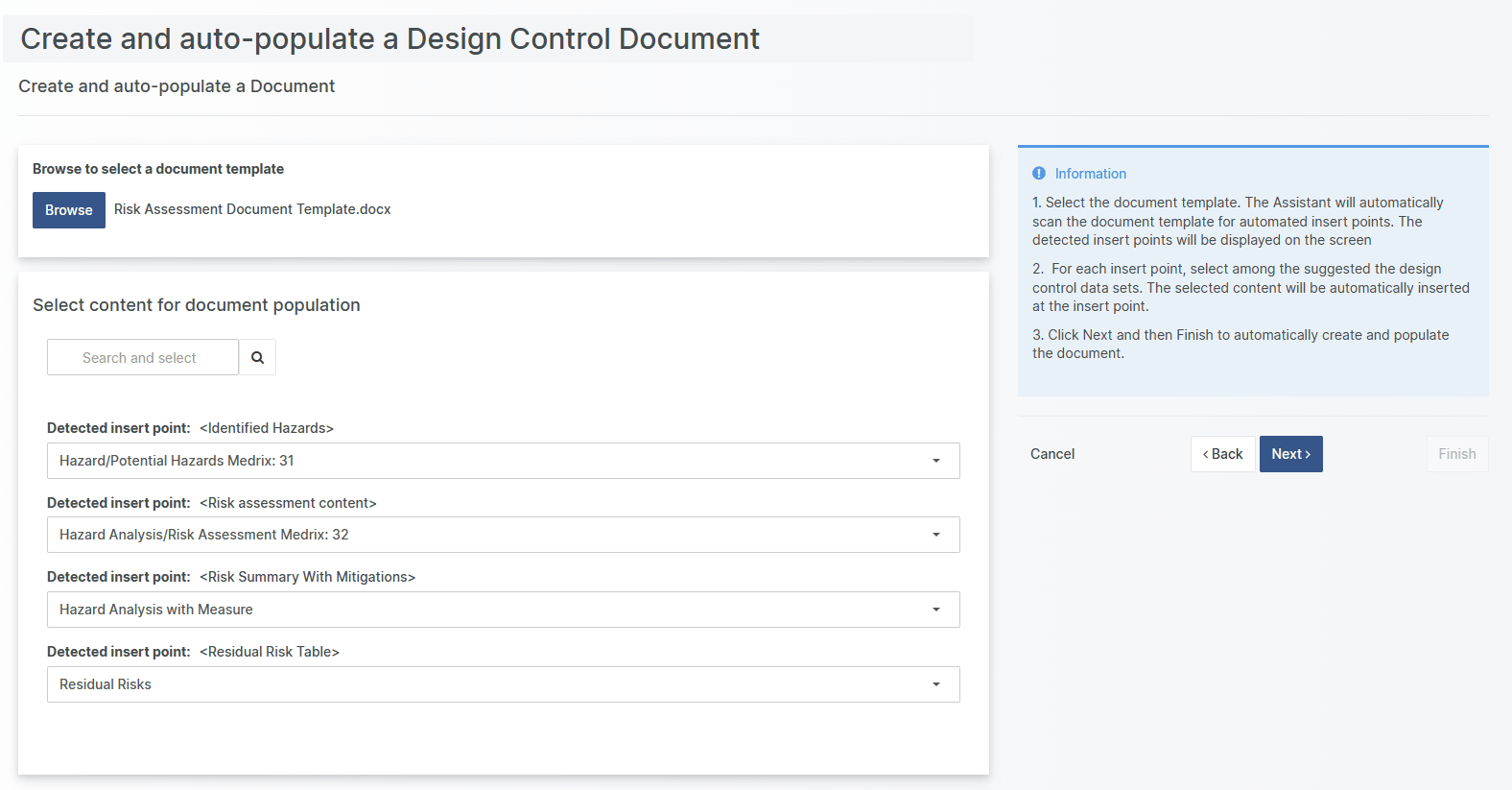
  • the Risk Identification list in section 3.2
  • the Risk Assessment itself in section 5
  • a Graphical Risk Summary in section 6 and
  • a list of residual risks in section 7.3.

All this data is available in Aligned Elements and your task is now to move it to the document itself. 

The task is structured and clear. In this situation, flexibility and creativity is not necessarily what adds value. 

Here our new feature come in to play.

Introducing the Document Creation and Population Assistant

With Aligned Elements V3.0 introduction of the Document Creation and Population Assistant, you can now set up your Word Templates for automated creation and population. 

In a few single clicks, the document is created and populated with Aligned Elements Design Control data without even having to open Word!

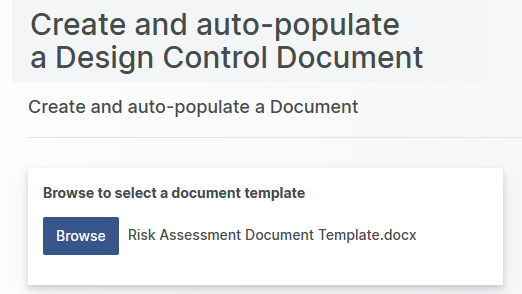
Select your word template in the Assistant and Aligned Elements will display the detected insert points. You can select among the data available in your project, or let Aligned Elements automatically suggest the data for your.

Autopopulate Document

One click later, the document is created and populated automatically, becoming readily available in your Technical File.

The upsides for you are:

  • Less time spent on creating documents
  • Consistent Design Control placement in the documents
  • Less risk for human errors

Freeing up time for innovation

It has always been our goal to cut the time spent on medical device documentation.
In our effort to free up even more time, we think we have come up with a helpful way to get to your documentation even faster.

This new feature is particularly interesting for medical device manufacturers that a rapidly expand their product portfolio or for projects with many re-occurring document types such as Test Case Reports, Review Protocols or Change Request documents.  In other words, when many similar documents are frequently created, the Document Creation and Population Assistant is an excellent way to save time.

The Document Creation and Population Assistant is available in the Web Client of our upcoming Aligned Elements v3.0.

{fastsocialshare}

Let's be frank.

Documents are at the center stage in your QMS. The efficiency of your medical device company relies on your ability to manage and control these documents. As you know, the documents in question, being required by ISO 13485 and FDA QSR 820, must be correct, complete, and consistent.

To achieve this, solid document control is required.

However, systems and procedures that do not support efficient and streamlined document control can make the work overwhelming. When scrambling to get the Technical File ready for release, a stream of documentation activities occurs in parallel, with multiple updates and releases taking place frequently and simultaneously.

Released documents - up front

Attaining an overview of the currently approved, released state of all documents can be challenging and failing to do so, resulting in sending, or operating on, an outdated document version, can have significant effects.

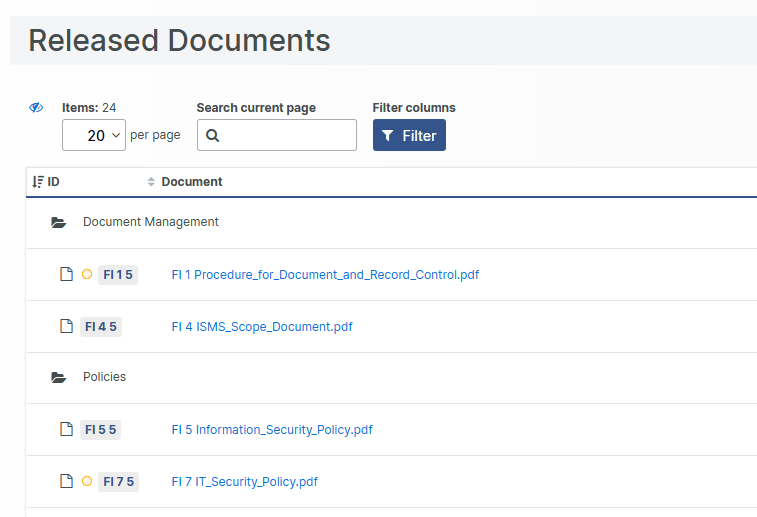
For this reason, we announce the new "Released Documents" view, providing an unambiguous overview of the currently released documents in a single place. The documents displayed are your published, approved, and effective documents, in-short, your single source of (document-) truth.

Your team gets swift and exact access to the currently approved documents, appreciated during hectic audits and when scrambling to finalizing a submission. From now on, released documents are easily distinguishable from drafts, obsolete or superseded versions.

Released Document

Powerful and flexible document management 

The released state of your documents can be established with or without Aligned Elements built-in 21 CFR Part 11 compatible electronic signatures. Thus, you can decide yourself what makes a document being "released" in your Aligned Elements setup. 

The released documents are organized and displayed in their corresponding file chapters for easier orientation. Additionally, visual indicators highlight documents where a new version is currently being drafted.

Filtering, searching, and sorting can be done using Aligned Elements standard mechanisms. In addition, Aligned Elements Tags can be applied to achieve quick filtering and grouping for selected purposes, such as all documents applicable to a standard or a geographical market.

Bulk operations such as download, analysis and report generation are available per default. Read-access to the "Released Documents" view is available to all users per default but can be displayed selectively by assigning the appropriate user permissions.

Edit Documents View - the broader and deeper access

The Released Documents view is the go-to place when looking for the currently approved and released version of a document.

However, for getting a broader and deeper view of the current work state, the "Edit Documents" view provides the tools you need. This view displays all documents in their live state, including unreleased documents in draft and ongoing updates of already released documents.

Conclusion

To provide a straight-forward and yet flexible Document overview that matches your organizations needs, this feature strengthens, streamline, and promote good document control practice in your Aligned Elements projects.

By integrating this new feature, you will achieve:

  1. Direct and unambiguous entryway to released documents
  2. Protection of documents from unauthorized access
  3. Better and faster support for compliance activities
  4. Improved document security

The Released Document view is available in the Web Client of our upcoming Aligned Elements v3.0.

With the Hotfix Aligned Elements V2.6 Service Pack 2 (2.6.425/180.21104) we have fixed an important bug detected in V2.6 SP 1.

This bug fix concerns the trace direction of traces between Causes and Risk Analysis/Hazards Analysis objects in the Web Client, which were, at times, incorrectly set in V2.6 SP 1. 

Release notes can be found here.

This release is a recommended upgrade.
Find the installer to Aligned Elements V2.6 SP 2 here.

{fastsocialshare}

In this latest release of Aligned Elements V2.6 Service Pack 1, we tell you all about...

  • Search-as-you-type in the Word Add-In
  • Import Files in batch
  • User and Project Management improvements
  • Integration with Open AI


The webinar can be viewed below:

Enjoy!

What's New

{fastsocialshare}

Aligned Elements V2.6 SP 1 (2.6.176/419.20790) is here and includes a number of bug fixes and a couple of new features.

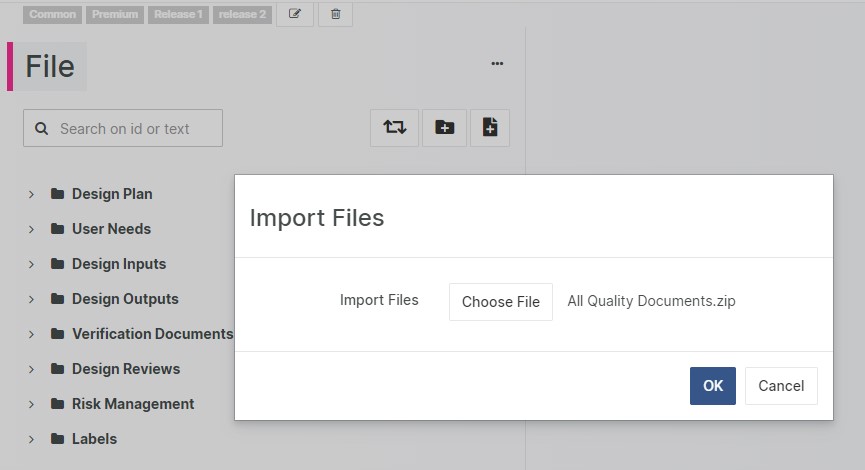
Upload Multiple Files

Perform bulk upload of files with a single click to Design Control types like Files and Attachments. Aligned Elements automatically creates the item, attaches the file, sets the title and recreates the chapter structure from the uploaded folder structure.   

 Import Files

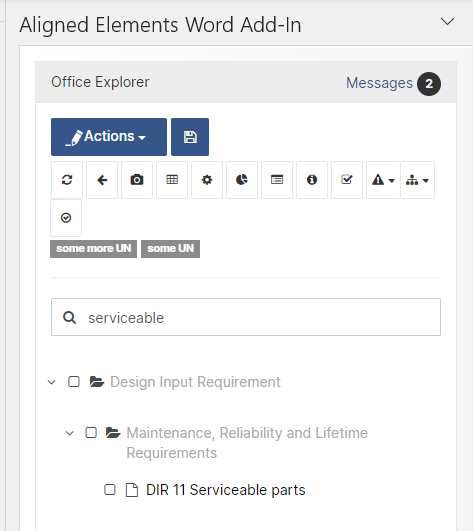
 Search-as-you-type in Word Add-In

Locate your target Design Control Items quickly with search-as-you-type in the Aligned Elements Word Add-In.

  Serach as you type

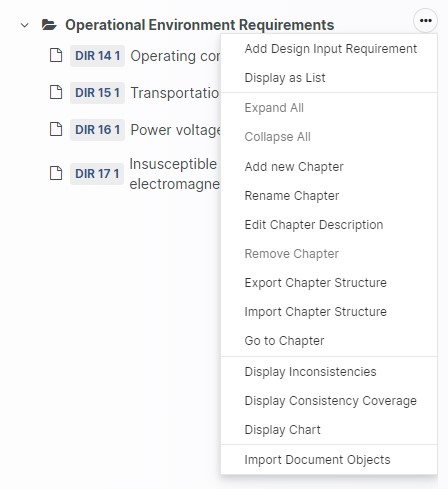
Import Design Controls to selected Target Chapter 

More control over your import actions are facilitated with the new option of importing Design Control Items into a selected chapter.

Import in Chapter

What's Changed

  • Aligned Elements Automator runs on both Linux and Windows
  • Customize wording for risk labels (Acceptable, ALARP, Inacceptable)
  • Improvements in Font and Formatting control
  • More control over Exported Excel Reports
  • Automatic email send out for signatures with enforced signing order
  • Prevent selected attributes to be copied at Generate
  • Display total number of Active Users
  • SQL Server 2022 compatibility

Upgrade now

With new features and important fixes, this release is a recommended upgrade.
Find the installer to Aligned Elements V2.6 SP 1 here.

{fastsocialshare}

In this latest release of Aligned Elements V2.6, you find great new features such as...

  • Trace Tables based on Snapshots
  • Chapter Descriptions
  • Traced Object Attributes
  • Automatic Recovery of Data


The webinar can be viewed below:

Enjoy!

What's New

{fastsocialshare}

Aligned Elements V2.6 (2.6.157/401.20382) is here and includes new capabilities and numerous bug fixes.

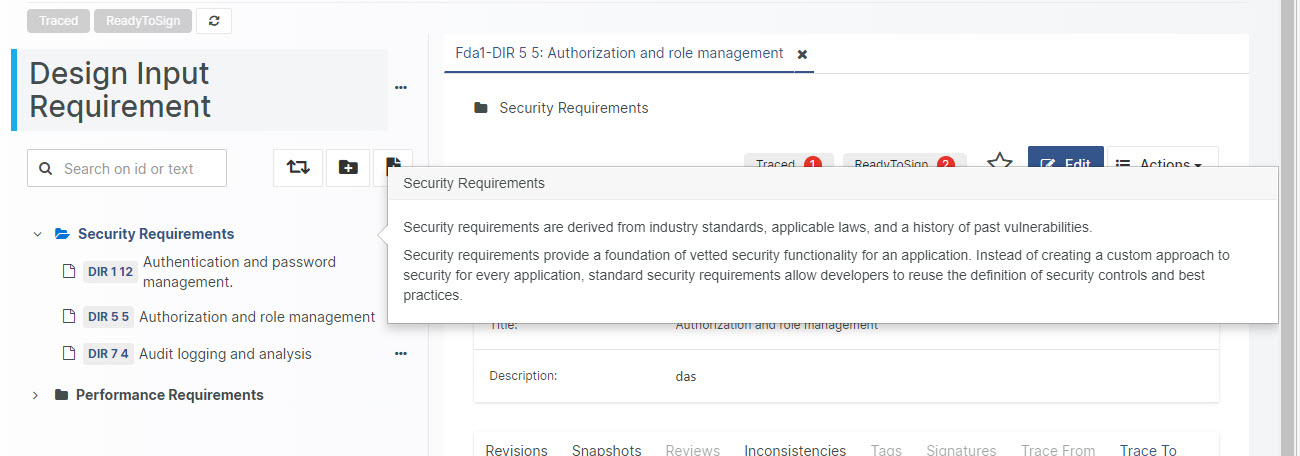
Chapter Descriptions

Use Chapter Descriptions in Aligned Elements to add text displayed right below the Chapter when inserted in a Word Document. 

Chapters


Create rich Design Controls using Traced Object Attributes

The traced object attribute permits you to display data from traced objects in your Design Control. This can be singles Design Controls or lists of Design Controls, appear being embedded as attributes in your main Design Control.

Traces 


Inspect indirectly traced Design Controls 

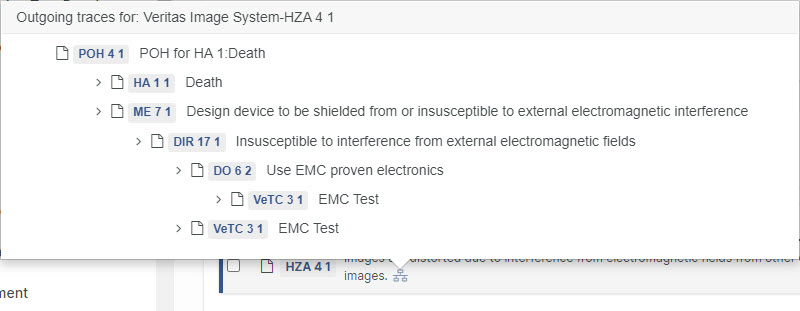
Hover with the mouse on trace inthe 'Trace To' and 'Trace From'-tabs to see indirect outgoing or incoming traces.

Traces

What's Changed

  • Trace Tables from Snapshot
  • Automatic Recovery of Unsaved Data
  • User Right for Test Run Management
  • Promote Comments to Issues in Review Feedback Overview
  • Trace Table allows "Upward" and "Advanced" at the same time
  • Export and import of Tags
  • File Object Revision History indicates Signed Documents
  • GemBoxPDF as new standard PDF Converter
  • Security Updates

Upgrade now

With new features and important fixes, this release is a recommended upgrade.
Find the installer to Aligned Elements V2.6 here.

There are few standards that have higher influence on the daily workday than ISO 13485. Most processes used by a Medical Device manufacturer are mentioned and regulated by this ISO standard.

If you want to check how well your organisation fulfils the ISO 13485, you can use this new Aligned Elements Extension in your Aligned Elements instance.

iso logo

This checklist extension covers key clauses in the sections:

4 - Quality management system
5 - Management responsibility
6 - Resource management
7 - Product realization
8 - Measurement, analysis, and improvement

With this checklist it is easier for you to assess what you have completed and what the remaining items are. Use the standard Aligned Elements functions to collaborate, analyse and report your results. 

How does the ISO 13485 Checklist work?

The ISO 13485 Checklist Extension consists of:

  • A new template called "Checklist Item" incl. a Word Template for this type
  • 143 importable checklist items that cover chapter 4 to 8 in ISO 13485:2016
  • Each item contains a control question, an assessment of the question and a placeholder for adding evidence for the assessment

Use this checklist to get a properly controlled and document proof of your fulfilment of ISO 13485.

Note! This Internal Audit Checklist for ISO 13485 only works in Aligned Elements.