EN

 {fastsocialshare}

In this recent New in Aligned Elements V2.5 SP 4 Webinar we presented news and improvements including:

  • A new UX experience
  • Enhanced Review and Feedback Options
  • Highlighting Inconsistent Items in Word Documents
  • Integration with GitLab and SVN
  • Centralized User Management

...and much more.

The recording is available below. 

Enjoy!
 

 {fastsocialshare}

Have you ever struggled to describe Hazardous Situations so it was clear to all stakeholders what you intended to say?

Did you spend a lot of time to come up with a concisely written Sequence of Events and then the first person to review your document claims to not understand what you intended to convey?

When describing your harms, have you ever wished that someone had put together a list of all possible harms, so you could just pick the one, which is applicable for this particular situation?

And then after your product release, did a Risk occur that you did not foresee?

Common Terminology by curtesy of the IMDRF

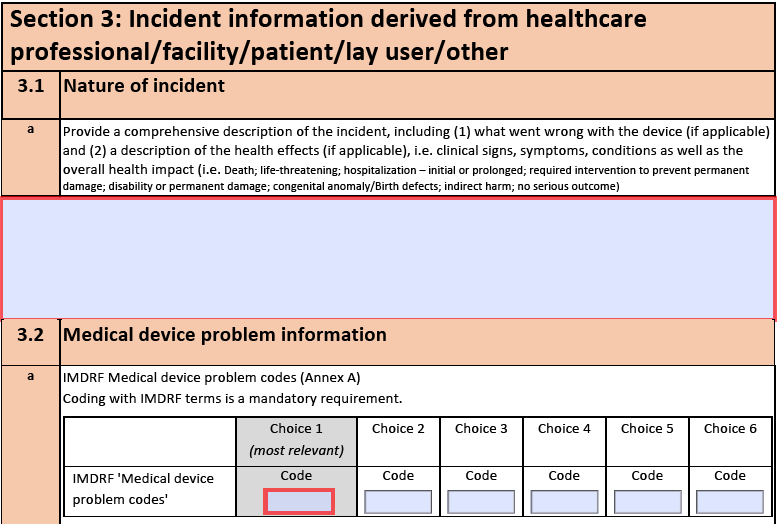
If you have ever experienced one or more of the above, there might be some help out there. The International Medical Device Regulators Forum (http://www.imdrf.org) has created a document called IMDRF terminologies for categorized Adverse Event Reporting (AER): terms, terminology structure, and codes.

Although that is quite a mouthful, this document can make your life a lot easier. It provides an extensive list of possible medical device problems, possible harms, and related causes. Each term is assigned a code, which has to be used when creating a Manufacturer Incident Report as required by the MDR (https://ec.europa.eu/docsroom/documents/41681).

These codes can also be used when reporting Adverse Events to the FDA by means of a Medical Device Report (https://www.fda.gov/medical-devices/mandatory-reporting-requirements-manufacturers-importers-and-device-user-facilities/mdr-adverse-event-codes).

Is the terminology only applicable for post-market events?

Although the terms compiled by the IMDRF have a strong focus on Post Market incidents, they are also useful in your pre-market design risk assessments. When performing your ISO 14971 compliant Risk Analysis during the development phase, a lot of time is (and should be) spent on the risk identification process to make sure all potential risks have been assessed and addressed.

In practice, this requires writing down and assessing the hazardous situations, what causes, and subsequent harms that could possibly arise by using your product. However, these are essentially the same as in a post-market scenario. Using the lists provided by IMDRF can speed up this process significantly.

So how does this make things easier for me?

The IMDRF lists act as an acceleration vehicle for your Risk Analysis. By using and analysing these established terms, you will save a significant amount of time when documenting all possible hazardous situations, causes, and harms. At the same time, the likelihood of overlooking a particularly hazardous situation, cause, or harm is greatly reduced.

Furthermore, ambiguities are reduced by using and referring to an established set of risk terminologies. Thus, you reduce the risk that other stakeholders, not just your colleagues, but also the auditors, will not misunderstand your carefully constructed Risk Analysis.

Using the IMDRF terminology in Aligned Elements

The lists are applicable to Aligned Elements projects using Risk Assessments using the Preliminary Hazard Analysis method. 

It is possible to import the IMDRF items directly into Aligned Elements by using four import packages which you can download here.

The extension consists of lists containing a Design Control type called “IMDRF Item”, which have the attributes “Code” and “Definition”.

When importing them, you will need to map the types to types that exist in your configuration.

Note that the lists contain a large number of items that may not all be applicable to your particular device.

A pre-assessment step of the list content is therefore recommended before applying them to production projects.

The following mappings should be done.

  • “Annex A, Medical Device Problems” (469 items) should be mapped to a type that represents “Potential Hazards” in your configuration.
  • “Annex D, Investigation Conclusions” (35 items) should be mapped to a type that represents “Causes” in your configuration.
  • “Annex E, Health Effects - Clinical Signs and Symptoms or Conditions” (797 items) should be mapped to a type that represents “Harms” in your configuration.
  • “Annex F, Health Effects - Health Impacts” (64 items) should be mapped to a type that represents “Harms” in your configuration.


Please do not hesitate to ask for assistance at This email address is being protected from spambots. You need JavaScript enabled to view it..


In many products, software is an important component of medical devices. With increasing demands for greater functionality within medical devices, the complexity of medical device software development also increases. This, therefore, places increased demands for appropriate traceability.

With Aligned Element V 2.5 SP 4, it is now possible to directly connect to your Subversion Repository.

This connection can be added as an additional field to any existing type.

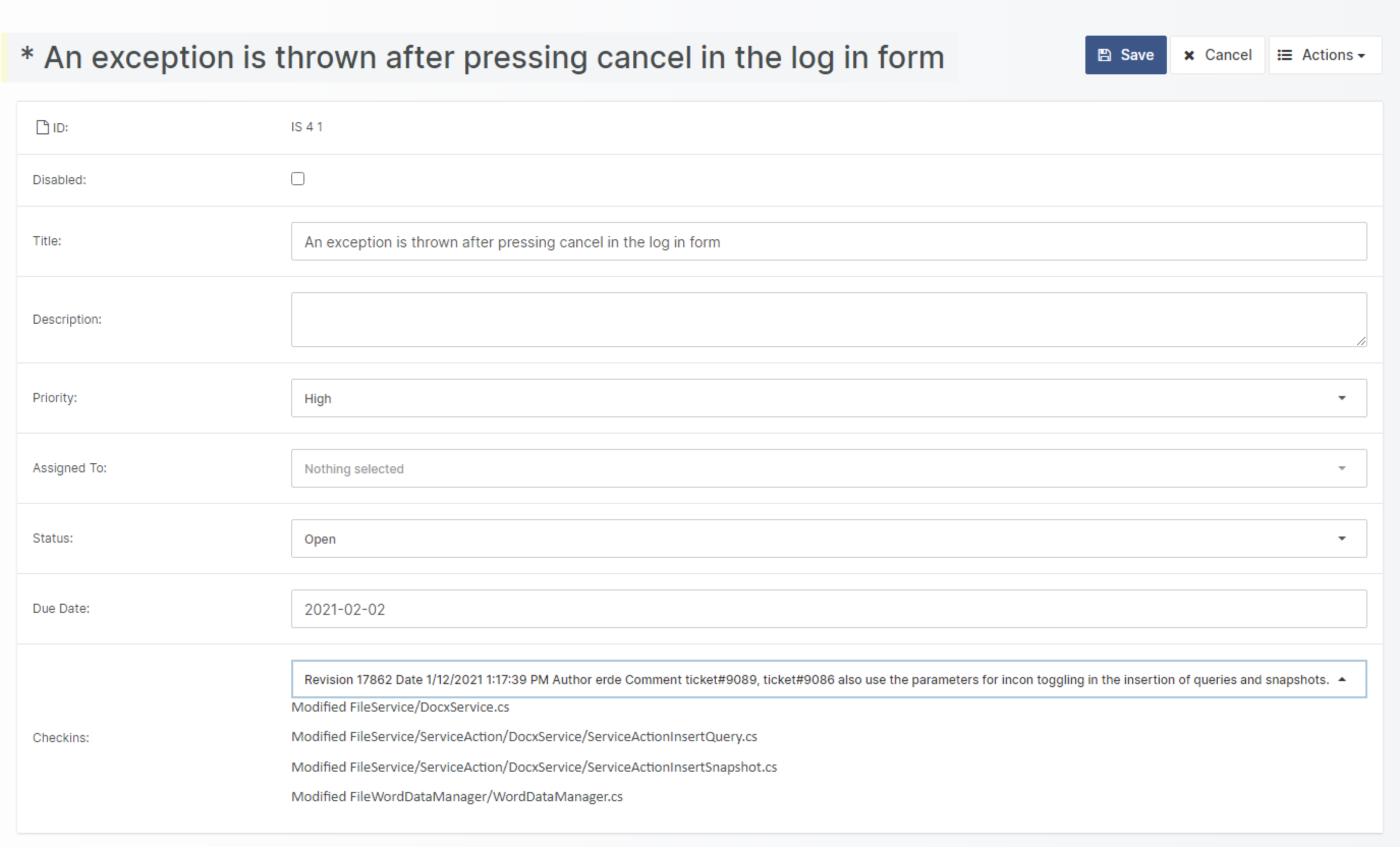
A typical scenario for this would be to specify a specific check-in when closing an Issue. It is also possible to create a completely new type, for example, a “Source Code Item”. This type can then be included in the traceability landscape of your project.

Furthermore, the displayed source code files can be filtered by their file extension.

These features will allow you to:

  • Maintain traces between requirements, UML designs, test cases, and their associated source code.
  • Trace from Source Code to associated tests or reviews.
  • Through Inconsistency Rules, find out which UML designs or requirements have not been implemented yet.
  • When closing an issue, you can document in which SVN check-in the Issue has been addressed.
  • Easily create trace tables from any object to Source Code.
  • In reports, in addition to the name of the source code file, display the actual source code.

If you are interested in adding the Subversion Integration to your Aligned Elements project, please contact us at This email address is being protected from spambots. You need JavaScript enabled to view it.

What's New

{fastsocialshare}

Aligned Elements V2.5 Service Pack 2 (2.5.307/109.16875) is here and includes several integration improvements and a number of fixes. 


Enterprise Architect Integration

Leverage the powerful System Integration models of Enterprise Architect in your Aligned Elements traceability! Enterprise Architect Diagrams can now be part of Aligned Elements item through a live connection with the Enterprise Architect repository enabling both traceability between Design Controls in Aligned Elements and models in Enterprise Architect diagrams as well as the incorporation of EA diagrams in Aligned Elements bi-directional Word reports.


Enterprise Architect


Integration with Redmine 

Use Aligned Elements integration with the popular Redmine ticket system to integrate Redmine tickets into your Design Control traceability. Create Redmine tickets from Aligned Elements on the fly when bugs are found during test execution, let Aligned Elements inconsistency checks validate the state of your Redmine items, and use Aligned Elements bi-directional Word Integration to incorporate Redmine ticket into your DHF documents. 


redmine


Web Client Improvements

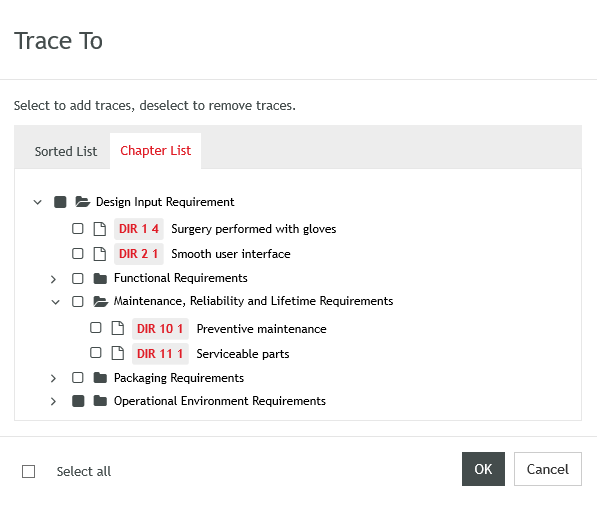
We have made a number of usability improvements available in the Aligned Elements Web Client to make your work easier and faster. These include displaying chapter structure in Trace Dialogs, one-click 'Add to Review' action from several views, single-click 'Save document as PDF',  'Find In...' functions to locate Design Control Items in different contexts, Excel exports from tables, and much more.


Trace To


What's Changed

  • Integration with Perforce Jobs
  • Use Test Runs without Configurations
  • Single-click to find items in Trace / Project Explorer, Files and Test Runs
  • Compare Word documents using Word's Document Comparison feature
  • Save Files in their folder structure to disk
  • Convert files to PDF at save to disk
  • Do risk reduction in Hazard Analysis and not in Mitigations
  • Make Unlock Objects a separate user right
  • Save tables to Excel (Web client)
  • Revert to Revision (Web client)
  • Save Trace Table as word template (Web client)
  • Add to Review from several views (Web client)
  • Display items in chapter structure in Trace dialog (Web client)
  • Create Harms and Mitigations on the fly (Web client)
  • Optional mail invitations sent from Review and Signature (Web client)
  • Support for table operations in Table attribute (Web Client)

Upgrade now

With important improvements and a handful of fixes, this release is a recommended upgrade.
Find the installer to Aligned Elements V2.5 SP 2 here.

{fastsocialshare}

Aligned Elements V2.5 Service Pack 3 (2.5.313/114.16963) is here with a great improvement and some important fixes.

What's New 

Collaborate using Comments

Use the Comments tab to add comments and send notifications to your team members. Comments can be used to discuss and clarify details or a particular design item during its life cycle. Emails notify comment authors about replies, upvotes, and mentions. Comments are only available in the Aligned Elements web client.

What's Changed

  • Important fixes regarding risk handling, Word, and merging

Upgrade now

With important improvements and a handful of fixes, this release is a recommended upgrade.
Find the installer to Aligned Elements V2.5 SP 3 here.

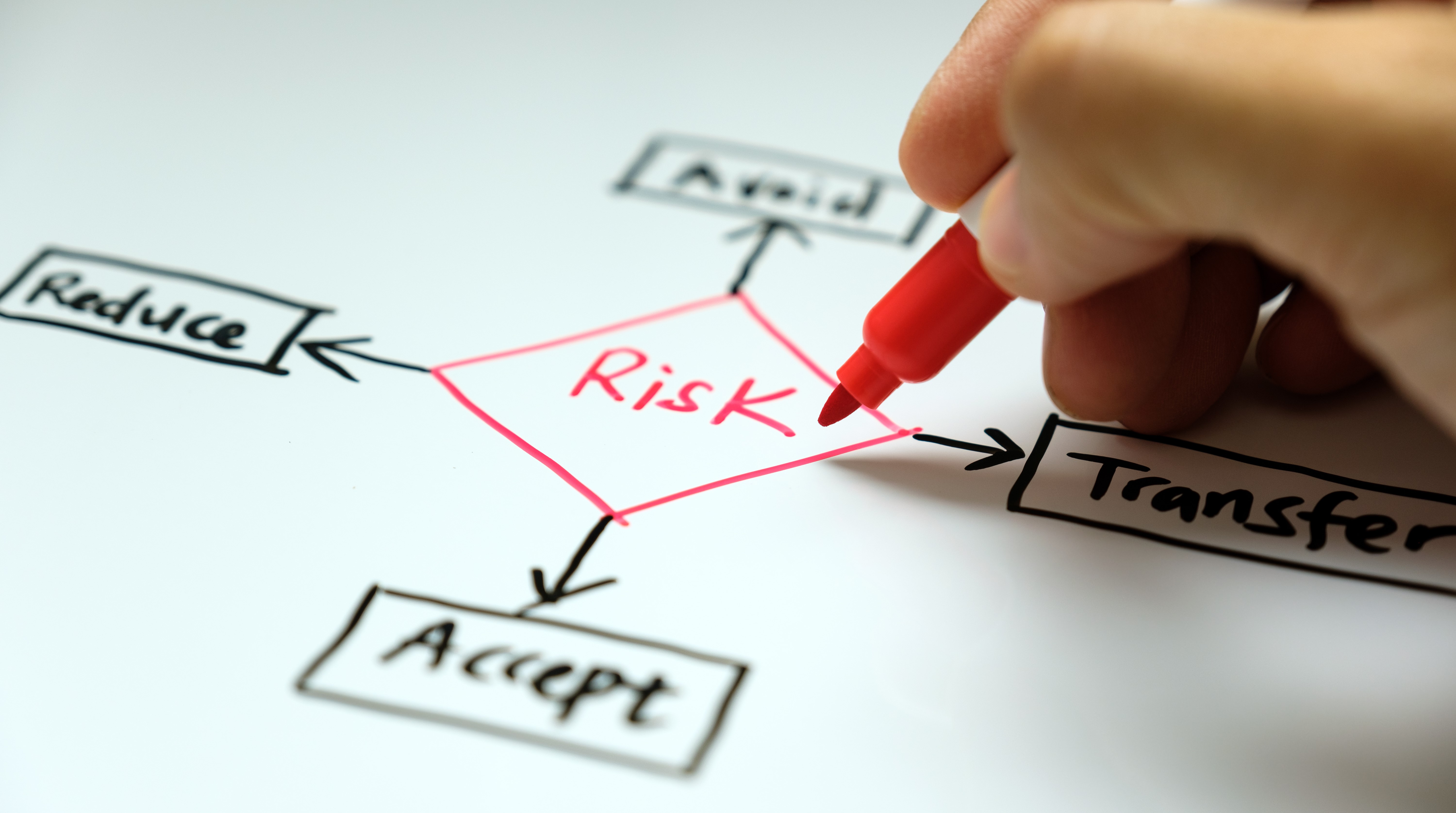
Risk Identification is an early and essential part of the risk management process and ISO 14971 requires us to make a complete risk assessment, to identify ALL hazards. 

But, how do we know if all of the hazards have been identified? How can we prove this?

You could brainstorm or have a whiteboard session gathering ideas that pop up, but the only way to truly achieve confidence in your risk identification process is by using a structured approach. 

There are several techniques available depending on the assessed source, including:

  • Assessing established potential hazards from internal records or published standards
  • Analysis of the manufacturer's experience with similar medical devices
  • Conducting a User Task Analysis on the user’s interaction with the device to uncover use errors
  • Assessing Field data and published incidents from similar devices in use
  • Assessing critical components for safe and effective use

Because of the difficulty involved with thoroughly identifying all of the hazards, ISO 14971 provides a number of aides – such as Annex C (2012) (becoming the ISO 24791 Annex A in the 2019 edition) – which provide a list of questions to assist in establishing device characteristics that may impact safety. Although not exhaustive, these questions can serve as a starting point and become one of several potential approaches from which the complete risk identification can be assembled. 

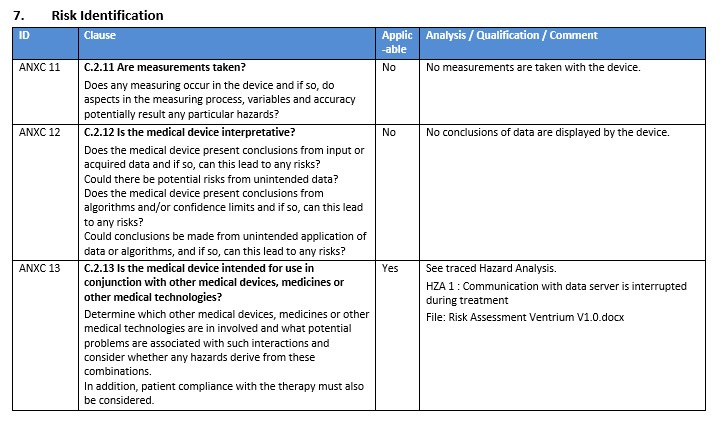
Aligned Elements users can kick start their risk identification process by downloading and importing our ISO 14971:2012 Annex C Extension, assessing them and start generating risks and mitigation. 

The ISO 14971:2012 Annex C Extension contains:

  • RVT file for an ISO 14971 Annex C Question and a corresponding DOCX Reporting style template
  • 37 importable questions built on Annex C in ISO 14971 to assess and integrate into your Risk Assessment

This Extension facilitates the assessment of the questions, the creation of both an automated assessment report of the Annex C questions as well as a starting point for generating new risks and mitigation. 

It gives medical device manufacturers a predefined starting point when setting up their technical file with the intention of accelerating the documentation effort.

The user is of course welcome to expand this question list with questions that are particular for his/her device and the conditions under which it needs to operate.  

The ISO 14971:2012 package can be combined with other risk identification packages from Aligned or in-house developed approaches by the manufacturer.

The ISO 14971:2012 Annex C package is free to Aligned Elements users.

For more information on how you can include our ISO 14971 questions in your risk assessment, contact the This email address is being protected from spambots. You need JavaScript enabled to view it. today. 

{fastsocialshare}

A smoother and faster IEC/ 60606-1 experience with Aligned Elements IEC/ISO 60601-1 Risk Assessment Checklist

Continue reading

{fastsocialshare}

Sometimes I get the question "So how much time and money will I save by using Aligned Elements?"

A fair question and a question I can answer with a clean conscience: on average, you will save 30% or more of the time you currently spend on design documentation.

However, some medical device manufacturers can save (and have saved) a lot more than that!

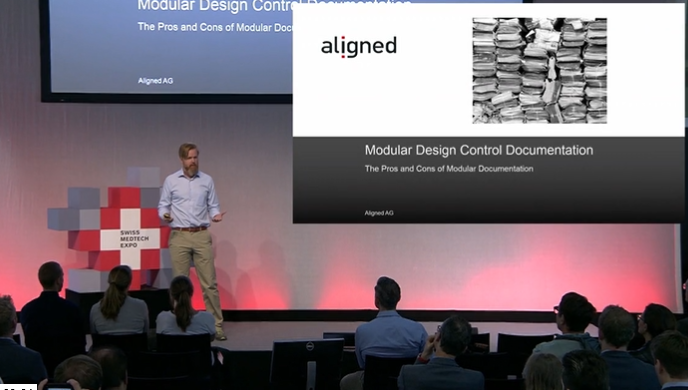
If a modular documentation approach is applied, where reuse of already existing Design Control data is leveraged, there are examples of savings of up to 80%.

In this video below, you can find out more about the possibilities, prerequisites, and benefits received from Modular Design Documentation with Aligned Elements.

Happy Holidays!

Modular Design Doc Video


What's New

{fastsocialshare}

Aligned Elements V2.5 SP 1 is a service pack consisting almost exclusively of bug fixes. 

What's Changed

  • Web Client optionally authenticates against Active Directory
  • Improved security mechanisms in Web Client
  • Improvements for Linked project handling in Web Client
  • Fixes in the Web Client Word Document Handling

Upgrade now

With important fixes, this release is a recommended upgrade.
Find the installer to Aligned Elements V2.5 SP 1 here.

{fastsocialshare}

It is a well-known tendency that changes made to software (new features, bug fixes, etc.) often lead to new software errors. In a medical device context, this can have detrimental consequences.

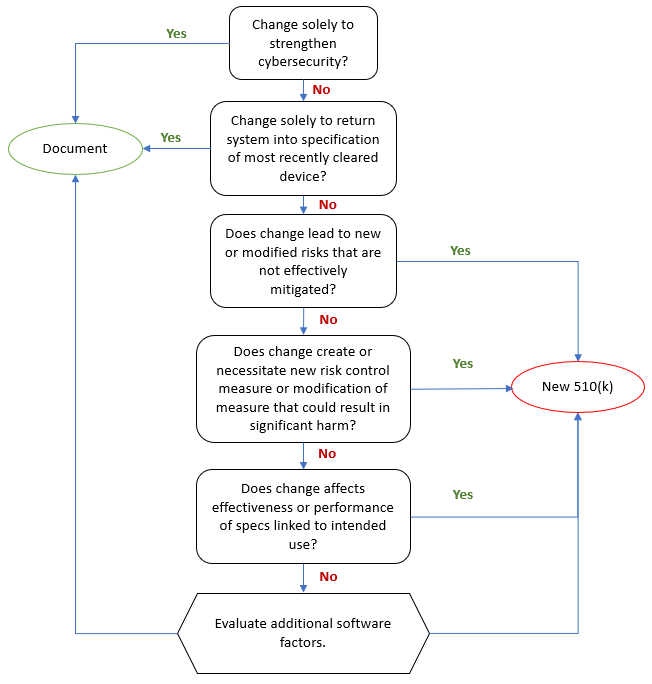
The FDA requires that medical device manufacturers submit a new 510(k) when a marketed device has changes, including changes to software, that could significantly affect the safety or effectiveness of the device or when there are major changes in the intended use of the device.

Of course, the word "significantly" is the moving target here. To facilitate the decision whether a new 510(k) is required, the FDA issued the guidance document "Deciding When to Submit a 510(k) for a Software Change to an Existing Device" in October 2017.

FDA Commissioner Scott Gottlieb said a statement that the guidance ..." enhances predictability and consistency for innovators deciding when to submit new 510(k)s by better describing the regulatory framework, policies, and practices underlying such a decision.”

Aligned has published an Aligned Elements Regulatory Wizard called When to Submit a 510(k) for a Software Change to an Existing Device that codifies this guidance document and makes it easy to assess and document whether the software changes (captured and managed in Design Control Items in Aligned Elements) will result in a new 510(k) or if documentation therefore suffices.

SoftwareChanges

The wizard When to Submit a 510(k) for a Software Change to an Existing Device is freely available for download from the Extension section of this website and serves as yet another example of how Aligned Elements can reduce the development documentation effort of your device.