

Integrations

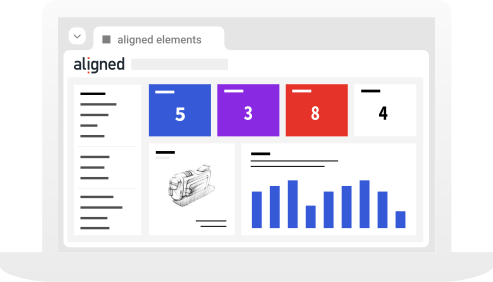
Connect Aligned Elements to your existing ecosystem of applications for a unified workflow.

Integration with Atlassian Jira

Initially having started as a bug tracker, Atlassian Jira has, together with other tools from Atlassian, such as Confluence and Stash, formed a powerful set of software ALM tools.

The integration with Aligned Elements allows Jira Issues to be created, edited and traced straight from the Aligned Elements client. Recording test defects as Jira Issues during Test Execution without ever having to leave the Aligned Elements UI.

Integration with GitLab

Integrate GitLab with Aligned Elements to trace from Design Control items in Aligned Elements to GitLab issues and tasks.

Access, create, edit and trace GitLab items directly from Aligned Elements without any extra deployment or synch operations.

Let Aligned Elements features such as Queries, Inconsistencies and Word Integrations operate on your GitLab issues.

Integration with GitHub Tickets

GitHub is one of the most popular version control systems used today. Although primarily used for source code control it also includes ticket/item tracking.

Aligned Elements access the GitHub database directly and make the items available for editing. GitHub tickets can be created, modified, traced, analysed, queried, and reported from Aligned Elements. 

Integration with Azure DevOps

The Azure DevOps integration lets you create, edit and trace Aligned Elements items to Epic, Stories, Bugs and other Azure DevOps artifacts.

Integrating Azure DevOps items in your medical device traceability in Aligned Elements gives you the best of both worlds!

Aligned Elements access the Azure DevOps repository directly and makes any synchronization operations redundant. The integration is part of the Aligned Elements configuration and requires no extra deployment actions.

Integration with Subversion

It is now possible to directly connect Aligned Elements to your Subversion Repository. This connection can be added as an additional field to any existing Design Control type.

A typical scenario would be to specify a specific check-in when closing an Issue which allows Aligned Elements to trace all the way down to the source code.

It is also possible to create a completely new type, for example, a “Source Code Item”. This type can then be included in the traceability landscape of your project.

Integration with Redmine

Use Aligned Elements integration with the Redmine ticket system to integrate Redmine tickets into the Design Control traceability.

Create Redmine tickets from Aligned Elements on the fly when bugs are found during test execution.

Let Aligned Elements inconsistency checks validate the state of your Redmine items and use Aligned Elements bi-directional Word Integration to incorporate Redmine tickets into your DHF documents.

Integration with Enterprise Architect

Leverage the powerful System Integration models of Enterprise Architect in your Aligned Elements traceability.

Enterprise Architect Diagrams are displayed in Aligned Elements items through a live connection with the Enterprise Architect repository.

This permits traceability between Design Controls in Aligned Elements and models in Enterprise Architect diagrams as well as the incorporation of EA diagrams in Aligned Elements bi-directional Word reports.

Integration with Trac

Trac is one of the most widely used open-source bug tracking systems. With a tight Source Code Management integration, it is especially popular among software developers.

Trac tickets appear as any other Design Control Item Category in the Aligned Elements client and can be modified, traced, queried, and exported.

Integration with Countersoft Gemini

Aligned Elements integration with Countersoft Gemini makes the Gemini issues appear in the Aligned Elements client as any other Design Control Item category.

Using direct access to the Gemini database, no redundant information (apart from traces) is stored in Aligned Elements. Gemini issues can be created, modified, traced, analysed, queried, and reported from Aligned Elements.


Integration with Perforce/Helix ALM Core

Perforce, aka Helix ALM Core, can associate each change in the source code repository with a ‘job’.

Aligned Elements will let you create and edit these jobs directly in the UI and maintain a live link to the data within Helix ALM Core.

You may include a reference to any job within your traceability, very much like our internal management of Issues.

Integration with Microsoft TFS

Microsoft Team Foundation System is the state-of-the-art software application lifecycle management system from Microsoft.

Aligned Elements uses direct access to a selected set of Work Items and integrates them in the workflow of AE:s native Design Control Items, effectively tying the DHF together with source code tests and check-ins. 

TFS Work Items can be modified, traced, analysed, and exported from Aligned Elements.

Integration with Microsoft Entra ID

Aligned Elements now integrates with Microsoft Entra ID (formerly Azure Active Directory), enabling single sign-on (SSO) with the same credentials used for Microsoft 365 and other business tools.

This eliminates multiple logins, reduces password fatigue, and makes daily access faster and more secure.

This integration enhances both security and usability, supporting medical device professionals with a modern, compliant, and user-friendly platform.

Integration with TestResult.io

TestResults.io is a no-code test automation platform that runs advanced end-to-end software tests.

The integration between Aligned Elements and TestResults.io enables automated test execution results in TestResult.io to flow directly into Aligned Elements traceability.

The integration reduces manual effort by allowing automated software tests to be leveraged in your overall traceability.

Accelerate your journey to CE Mark and FDA approval

Try aligned elements 30 days for free!


Genuine Voices, Tangible Results

Thanks to the Linked projects-feature, we are able to reduce the duplication of module documentation to a minimum.

Christoph Karthaus

R&D Manager

Amazing to see how adaptable AE is to our development process and risk management process, giving us the ability to work swiftly without any unnecessary constraints!

Jaimin Patel

Regulatory Affairs Manager & Risk Manager

We benefitted by being able to create risk analyses for various product groups quite quickly and easily. We could now focus more on the content, and leave the form to the system.

Andrea Paulus

Customer Service, Product & QM Support

Aligned Element have made life easy working with requirement/verification including traceability. We could easily make a structure suitable for us, for all our different products and their specifications.

Anna Norlander

Senior Project Manager

Aligned Elements supports a structured way to, starting from requirements, create a traceable set of documentation through the whole lifecycle.

Claes Nilsson

Master System Engineer

I can sincerely recommend Aligned Elements to any Medical Device company looking for a single tool to manage requirements, specifications, risks and design reviews.

Victor Steinacher

Project Manager

Discover world-class Design Control Management

Capture and control requirements with a complete, chronological audit trail of all events.
ISO 14971 risk assessments. Identify, evaluate, mitigate, implement and verify all risks.
Plan, execute, monitor and document hardware and software Verification and Validation activities.
Let the traceability drive your design quality. Consistent and connected end-to-end tracing.
Streamline document creation and approvals with electronic signatures and document routing.
Find and fix inconsistencies in seconds. Spot gaps before audits do.
Built for medical compliance to always be complete, correct and audit-ready.